


How to install App

IOS
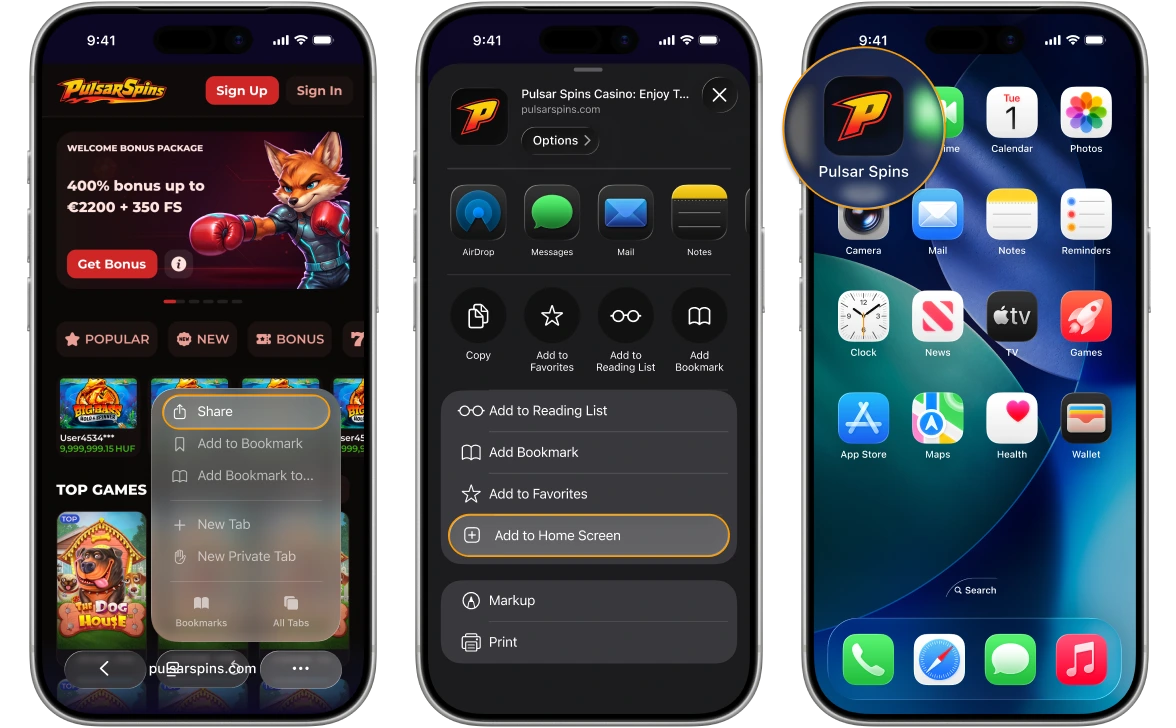
1. Open Pulsarspins Casino in Safari browser on your iOS device.
2. Tap the “Share” button.
3. Scroll down and tap “Add to Home Screen".

Android
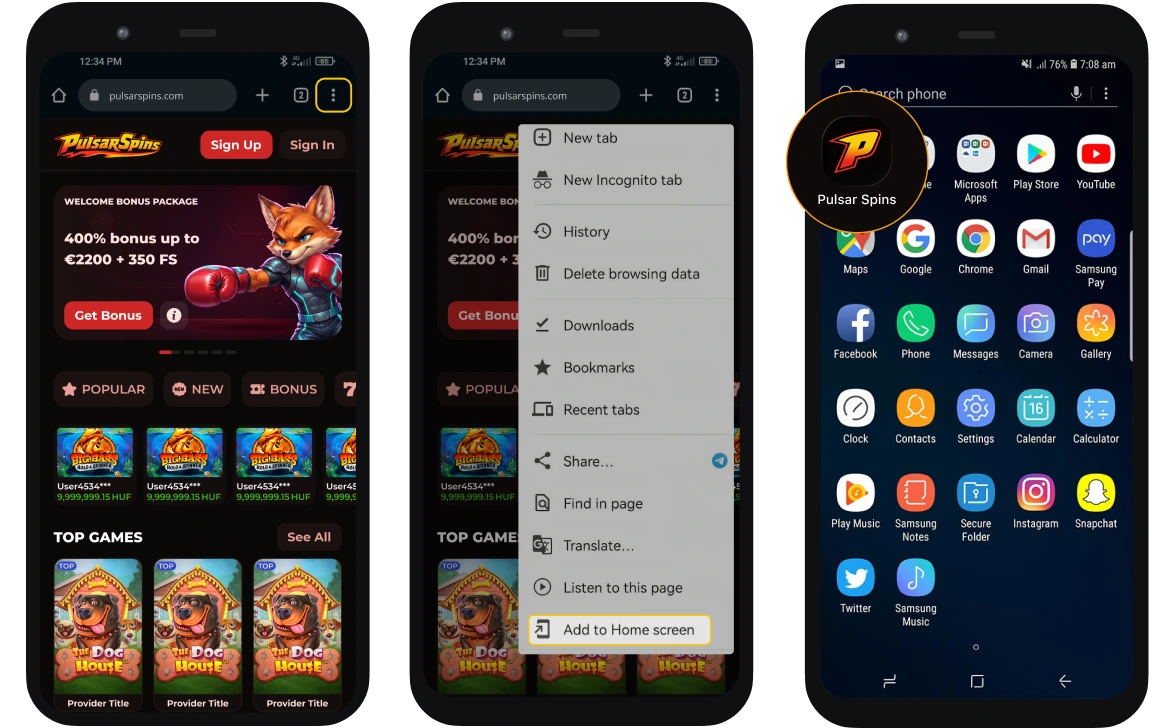
1. Open Pulsarspins Casino in Chrome browser on your Android device.
2. Click on “Three dots” on the top right.
3. Click the “Install app” button and tap “Install”.
 Bonus Station Map